Get Your Offer here
Get Now

Employee Claim Management
Simplified Claim Submission and Approval Process with XeDigital.ai
CONTACT US KNOW MORE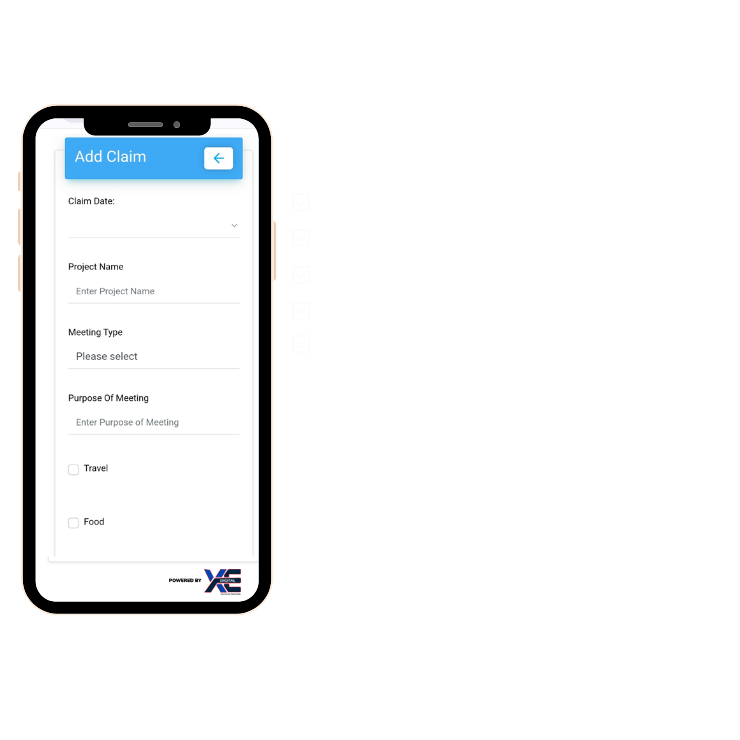
Claim Submission and Approval
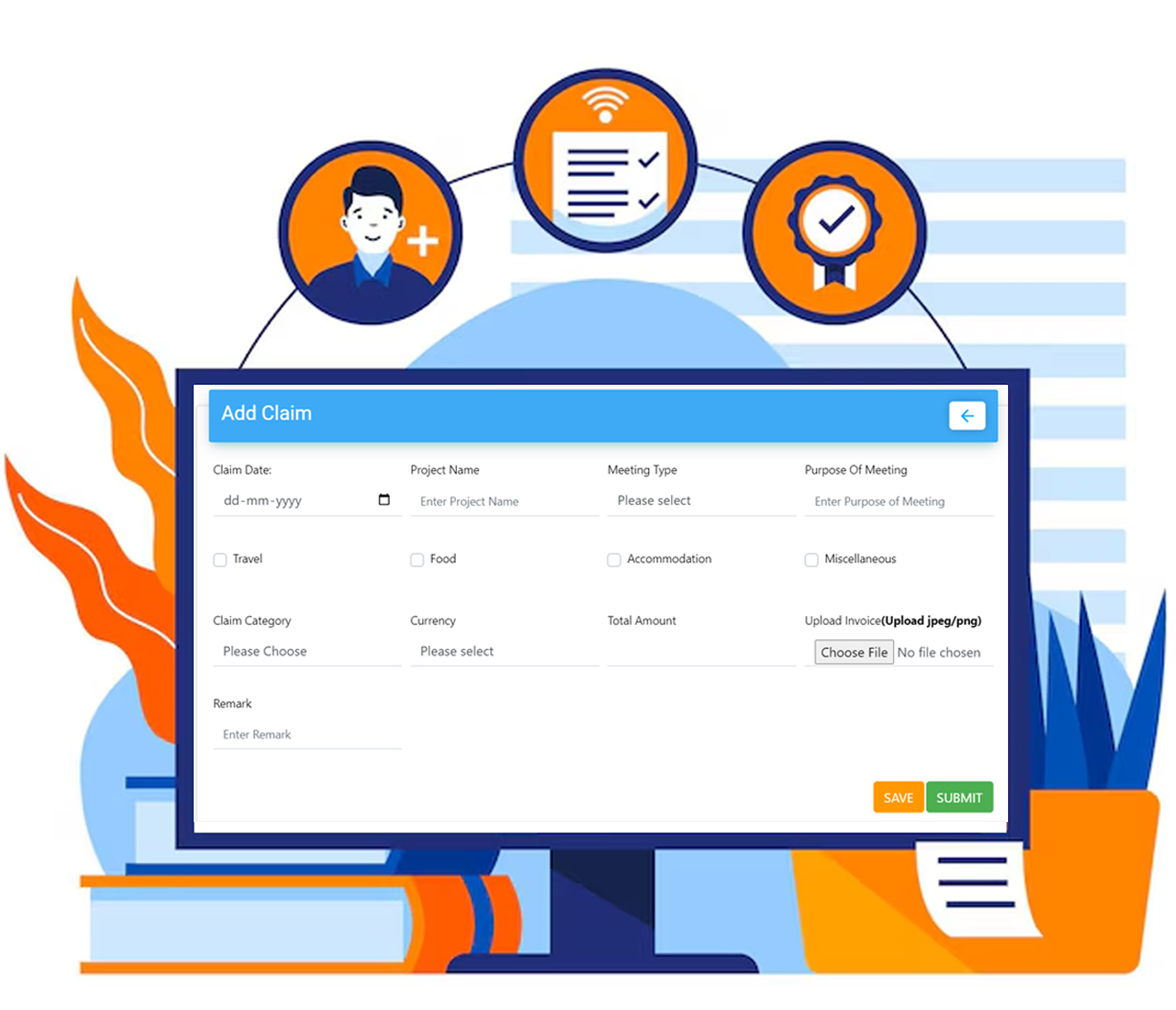
Our Claim Management or reimbursement management software designed for accuracy, and transparency in claim handling. Employees can view their Claim details and history of submitted claims from Dashboard & they can attached soft copy of reimbursement bills. Mangers will get Mail Notifications for every time their team submit any claim. With a ultimate solution for efficient and effective management of staff claims, our system streamlines the entire employee's claim process. Each Approval/Rejection or Processed Claims will be communicated through email
- Online Submission of Claims
- Group level approvals
- Mail Notification with Claim Status
Expense Management Features
- Online Claim Submission: Easily add and submit expenses through a streamlined, paperless digital system.
- Multi-Level Approval: Supports first and second-level approvals, enabling efficient verification, approval, or rejection of claims.
- Save or Submit Claim: Save claims to update later or submit once completed at your convenience.
- Mail Notification: Employees and managers receive email updates on claim status, including approvals, rejections, and remarks.
- Upload Expense Receipts: Upload receipts in multiple formats for faster and more efficient claim processing.
- Tag Expenses: Add project details to expenses for improved tracking and accurate management.
How Claim Management Works?
- Discover how our claims management software simplifies staff claim handling—from seamless submission to detailed reporting.
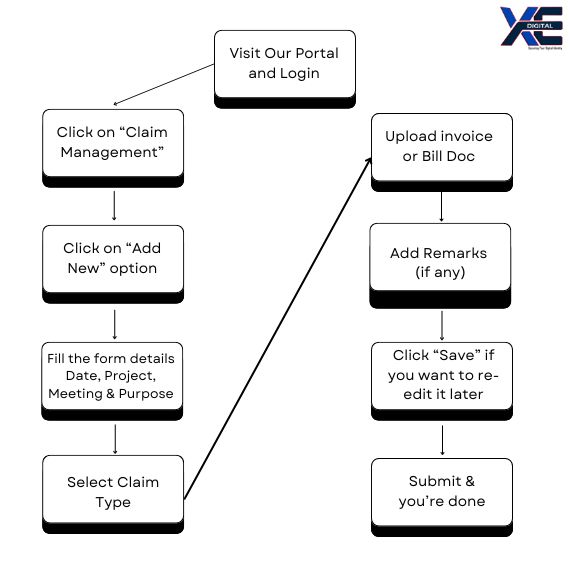
- Visit the portal and log in
- Select “Claim Management”
- Click “Add New” to submit a claim
- Enter required details: Date, Project, Meeting, Purpose
- Choose claim type (Travel, Food, Accommodation, etc.)
- Upload invoices or billing documents
- Add remarks for reporting (optional)
- Click “Save” to edit later or “Submit” for approval
- Notifications are sent to employees and managers/HR for review, approval, rejection, or feedback as per policy
How Our Claim Management System
Benefits Your Organization?
- Improved Efficiency: Reduce the time and effort required to process claims with our automated system. Increase productivity and allow your team to focus on more strategic tasks.
- Increased Transparency: Enhance transparency with clear, real-time tracking of claim statuses. Keep all parties informed and reduce the likelihood of disputes or misunderstandings.
- Better Compliance and Risk Management: Ensure adherence to policies and regulations with automated compliance checks. Mitigate risks associated with claim management and maintain a high standard of operational excellence.
Get Started with Claim Management Today!
Transform your Staff's Claim procedure with one of the best software in the market which has User-friendly Interface, Digital Forms and Multi-level Approval features. Schedule a demo to explore more about the advantages and features of our Claim Management System. XeDigital.ai will not only automate and simplify the claim submission or approval process but also minimize administrative overhead by reducing manual errors.
XeDigital.ai Capabilities - Securing Your Digital Identity with:
- Employee Lifecycle [Documentation/Onboarding/Exit]
- Visitor Management System
- Digital Receptionist [Lobby & Reception]
- Time, Attendance & Leave Management
- Remote Workforce Management
- Productivity Management [DCR & Timesheet]
- Geo Fencing/ Geo Tracking
- Calendar, Holidays & Shift Management
- Policy & Compliance Management
Frequently Asked Questions
Client Testimonials
Don’t take our word for it – here’s what our clients say:

Deepti Konda
I am fully satisfied with XeDigital after using the application for the past 3 weeks. It is much more affordable than any other VMS. If you need visitor check-in without massive price tags and don’t want to compromise quality, this is the application that will work flawlessly.

Rohit Sharma
It is a great app that gives wonderful user experience to visitors. If you are looking for an automated reception then this app will fulfill all your needs. Customer support is also wonderful. Most of all, the brand logo on the home page just made my company look smart.
Sahil Gupta
With minimal resources and time we could implement XeDigital to scale from 2 visitors to 1500+ visitors to our Organisation. We use it to track both our employees and XeDigital. You can be Startup, Mid Size or an Enterprise, XeDigital is a boon for all.

XeDigital.ai, a SaaS-based platform enables you with workforce automation to manage your Visitor, Guests, Partner Employees, Lobby, & Reception digital identity. This is built with the DNA of Face-Recognition, AI & ML to automate self-check-in, Face being only identity, Touchless system & QR-enabled features. This enhances the user experience, and productivity securing the digital identity of users and also enhances Workforce Attendance & Productivity Management.
All rights reserved © 2021 Consultedge.Global. | Privacy Policy